

Last Updated on 06/01/2026 by Chris Gampat
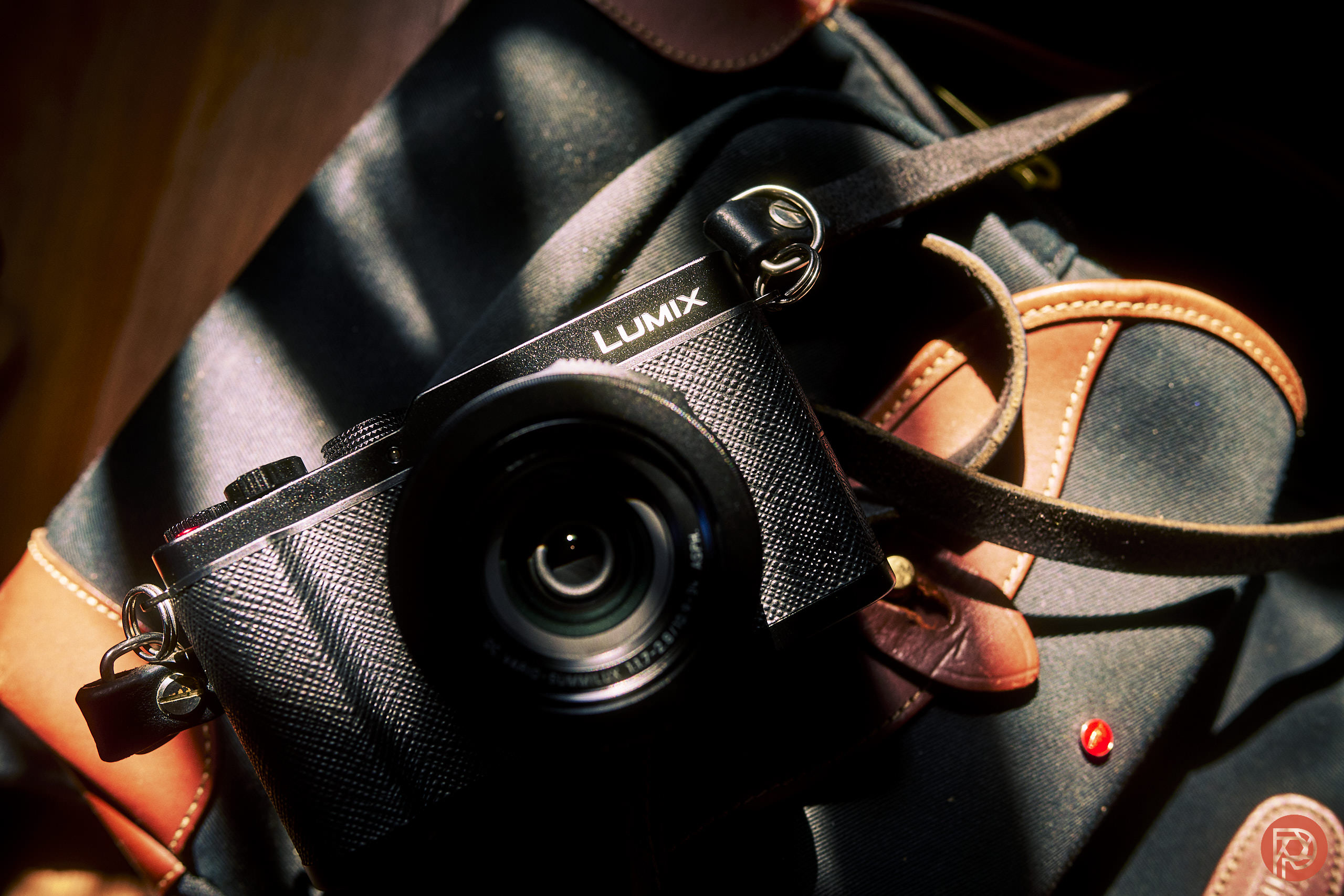
Something that I absolutely never expected to happen so soon is the announcement of the new Panasonic LUMIX L10 camera. This new camera differs a lot from the Leica D-LUX 8 and is the spiritual successor to the LX100 series. It starts with a higher megapixel sensor and then incorporates the processor that adds on AI scene detection and Real Time LUT. So in many ways, the LUMIX L10 is a much more powerful camera — or at least it should be.
Table of Contents
The Big Picture: Panasonic LUMIX L10 Review Conclusions
The Panasonic LUMIX L10 is a fantastic camera, and in many ways, the camera that we all hoped and dreamed of having. There’s a lot to love here too. Panasonic gave this camera a ton of incredible super powers like Real Time LUT, a new processor with insanely good autofocus comparable to their S1 series cameras, better RAW file versatility, a good lens, solid battery life, and a working EVF. Seriously, what’s not to love about that for most people?
The only things that I wish this camera did better was adding in weather resistance and even a joystick. But otherwise, of any point and shoot camera currently on the market, this is the one to beat for me. It far outdoes the Ricoh GR series, the Sony RX1R series, and even the Fujifilm X100 series. Sure, it has a smaller sensor — but when you embrace the Real Time LUT feature with it, that becomes something that’s completely irrelevant.
I’m giving the LUMIX L10 four out of five stars. As it is, I think it’s the best point and shoot camera on the market. Want one? Check it out at Roberts Camera.
- Good image quality
- Solid autofocus comparable to cameras that cost double the price
- Working hot shoe
- Real Time LUT feature makes Four Thirds sensor issues irrelevant
- Solid battery life
- No weather resistance
Experience

There’s a lot to take in here with the new Panasonic LUMIX L10. It’s got a 24-75mm f1.8-f2.8 equivalent lens in full-frame speak. And there’s a 4/3rds sensor that outputs effectively 20.4MP still images. But those aren’t just any stills. Anyone who’s shot with LUMIX recently will tell you that Real Time LUT is the secret sauce here. It means that you can ultimately spend less time in front of your computer if you know how to use it to its fullest benefits and you’re not lazy. Otherwise, you can spend time editing the RAW later on in your software of choice: including LUMIX Lab which will offer RAW editing capabilities.
The body is metal with the top being aluminum and the front being magnesium: that’s highly desirable for a compact camera. But I’ve got to say, this camera is so lightweight that I wouldn’t have thought this to be the case. It could also be that it’s now the summer here in NYC and everything is so warm to the touch. But when I touch a metal camera in the winter, it’s often cold. And I’m reminded of the fact that I’m using a serious device by how cold it feels.


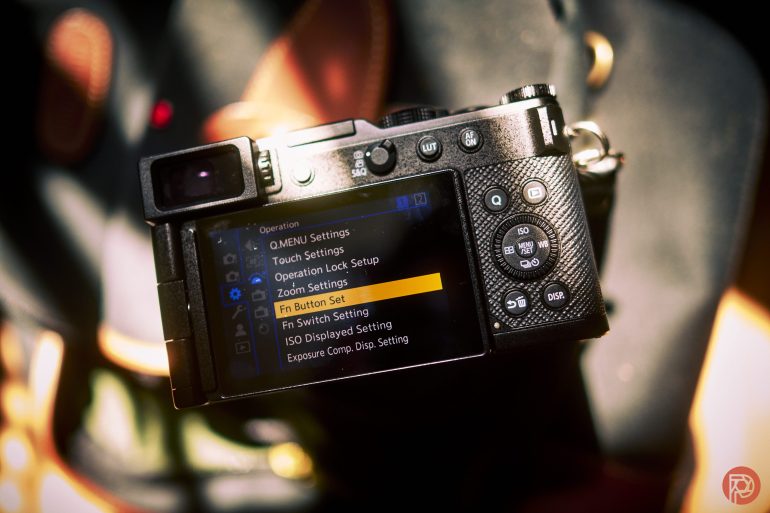
The LUMIX L10, on the other hand, doesn’t feel that way. It feels like a proper rangefinder experience in many ways and even feels a bit like a Fujifilm X100 series camera. The only thing that strikes me as odd is the placement of the top back dial on the top of the camera. I kind of sih that it were closer to the mode dial. I also wish that these dials locked. However, if that happened, then the functionality would change.
The lens has a dedicated aperture ring while the top back dial can be set to control an exposure parameter. So, too, can the back Canon-style dial around the D-pad area. I typically like setting a front dial of some sort to control shutter as that’s how it was back in the DSLR days for both Olympus and Canon. But that’s not available here. Instead, you’ve got a zoom rocker around the on/off switch.
What’s also really nice is that this compact camera uses the same batteries as the higher end series of cameras. So you can theoretically take the LUMIX L10 and the LUMIX S1R II to a photo gig. I know that I plan on doing this as I have a paid photo gig very soon! Part of what makes this is incredible is the fact that the camera has Real Time LUT as a feature. That means that I can basically load presets from my computer or LUMIX Lab onto both cameras and the looks will be around the same. I’m currently writing this section within the first three hours of my having the camera in my hand, and right now, LUMIX lab isn’t working with the L10. I’m sure that will be fixed eventually, so I’ve loaded up some looks onto the camera that render similar to many Leica looks.
Essentially, Panasonic is taking a different approach from the Fujifilm X100Vi, Fujifilm X Half, and Sony RX1R Mk III in that it’s offering a zoom lens instead of a nice bright prime. At f1.7, it’s got the equivalent of an f3.5 depth of field. At f2.8, it’s like f5.6 in full-frame. But the light gathering abilities are greater than the equivalent depth of field.
With that said, this must be kept in mind when you’re doing street photography or randomly going to make photographs. I set my camera to manual mode almost all the time. And beyond f4, you’re probably going to get diffraction with the L10. That’s because this is a 4/3rds sensor and it’s got the equivalent depth of field of f8. The L10 has diffraction correction built in, however.
This is also really important because the maximum mechanical shutter is 1/2000th. You can choose to use electronic shutter too if you wish. But I make photographs in a much more traditional way, so I choose mechanical. It may sometimes mean that scenes could be too bright at f4 and 1/2000th depending on the LUT you’re set to. Some of them only allow you to use higher ISO settings beyond ISO 800. But generally at ISO 100, you should be alright.
There’s also the focus limiter option that lets you zone focus the camera. But I haven’t used it in so long that I’m going to have to relearn how to use it. It’s essentially that you set the closest limit and the furthest limit. So with some configuration you can set the camera to focus six feet to eight feet away.
What is really nice to know is that the autofocus functionalities of the LUMIX L10 are very powerful. There’s the full AI scene detection settings, AF-S and AF-S, and area selection. All can be also wired to corresponding buttons. I, for one, am never going to use the dedicated video record button, so I set it to a scene detection setting. The AF-On button is set to select continuous or single AF. And the actual AF area select button serves it accordingly set purpose.
The camera feels so much faster than what I’ve used before for Micro Four Thirds. And I am greatly appreciating that.
Update June 2026
Bringing the L10 around has been a serious joy for a month. With the right strap on it, it’s so easy to tote around and almost totally forget that it’s there except for when you want to snap an image. More importantly, it works well in auto mode, program auto mode, and for nearly anything and everything that you’d ever want to do. I could even see myself using it for a few more professional applications of some sort.
Something that I was pleasantly surprised by was how good the autofocus is in low light with people of color. As far as I am concerned, the LUMIX L10 has the best autofocus performance of any Micro Four Thirds camera on the market.
Image Quality
This review is developing. And we will be updating our image quality findings at a later point.
One of the coolest things about the LUMIX L10 is that it incorporates the Real Time LUT feature. This is the same thing that makes images from the S9, S1R II, S5 II, S1 II E, and S1 II cameras stand out so much. When working with these cameras, I rarely ever need to edit my images but I shoot RAW just in case. Most of the time, I never to do much work because of just how experienced of a photographer I am by manually choosing white balance and all. Surely, not everyone will be like this, but it’s nice to know that so much customization is possible.
At a later point I’ll be testing out the new Magic LUT feature that uses AI to create LUTs from photographs.
With this being a Four Thirds sensor, I’m truly not expecting a lot for photographers. But I can always be surprised. We’ll have to wait for Capture One to make an update that covers it. I, along with many others, don’t use Adobe products anymore.
New to the system are the LUMIX Classic and LUMIX Classic Gold looks. HERE THEY ARE
Here are some quick sample images shot with the LUMIX L10 and using Real Time LUTs designed to look like Leica Looks and also with the new LUMIX Classic Gold render. More will be coming soon.


Update June 2026
Something that I’m very much pleased with is just how well the RAW files perform in Capture One, though one can argue that you may not need to do this because of Real Time LUT. I ended up shooting both RAW and JPEG and being happy with the results most of the time. When I wasn’t, then I’d go in and edit the images.
The following images were edited in Capture One with Phoblographer presets.


The following images are straight out of the camera and resized for the web.


Do You Want to Buy from Panasonic LUMIX?
We believe that everyone should be aware of the ethical decisions that they’re making when they spend money. So to do this, we research the companies that whose products we test and make folks aware of both possible concerns and reasons to feel great about giving a company your money.
Here’s what we’ve got for Panasonic:
- Panasonic works to support women in STEM to address inequalities. We can’t find any more information on that, but it’s worth knowing.
- Panasonic is very transparent about how they use cookies. And you can delete your information if you request so.
- Panasonic has a 30 day refund policy. This goes beyond what many retailers may offer.
- In the owners manuals, Panasonic states that attaching items that don’t comply with the L-mount alliance can void your warranty. You can search the S1R II manual to find this for an example. This means that if you’re using a 3rd party product that isn’t part of the L-mount, you could void your warranty.
- Panasonic has various chemical disclosures. Nothing from the LUMIX camera brand has a disclosure.
- LUMIX has been a supporter of Pride Month in various ways in the past, according to email correspondences the Phoblographer has with the brand. There’s even imagery implying that they’ve given away $15,000 to participants in their Pride Month function.
Declararion of Journalistic Integrity
The Phoblographer is one of the last standing dedicated photography publications that speaks to both art and tech in our articles. We put declarations up front in our reviews to adhere to journalistic standards that several publications abide by. These help you understand a lot more about what we do:
- At the time of publishing this review, Panasonic is not running direct-sold advertising with the Phoblographer. This doesn’t affect our reviews anyway and it never has in our 15 years of publishing our articles. This article is in no way sponsored.
- Note that this isn’t necessarily our final review of the unit. It will be updated, and it’s more of an in-progress review than anything. In fact, almost all our reviews are like this.
- None of the reviews on the Phoblographer are sponsored. That’s against FTC laws and we adhere to them just the same way that newspapers, magazines, and corporate publications do.
- Panasonic loaned the unit and accessories to the Phoblographer for review. There was no money exchange between us or their 3rd party partners and the Phoblographer for this to happen. Manufacturers trust the Phoblographer’s reviews, as they are incredibly blunt.
- Panasonic knows that it cannot influence the site’s reviews. If we don’t like something or if we have issues with it, we’ll let our readers know.
- Panasonic paid for shipping of the lens to and back. This is a standard practice in the world of journalism.
- The Phoblographer’s standards for reviewing products have become much stricter. After having the world’s largest database of real-world lens reviews, we choose not to review anything we don’t find innovative or unique, and in many cases, products that lack weather resistance. Unless something is very unique, we probably won’t touch it.
- In recent years, brands have withheld NDA information from us or stopped working with us because they feel they cannot control our coverage. These days, many brands will not give products to the press unless they get favorable coverage. In other situations, we’ve stopped working with several brands for ethical issues. Either way, we report as honestly and rawly as humanity allows.
- At the time of publishing, the Phoblographer is the only photography publication that is a member of Adobe’s Content Authenticity Initiative. We champion human-made art and are frank with our audience. We are also the only photography publication that labels when an image is edited or not.
More can be found on our Disclaimers page.
Did you enjoy reading this article as much as we enjoyed writing it? There's a way to support us and our reporting, getting ad-free navigation and more as a bonus. Subscribe to us for less than a coffee per month —just $3.99— or take advantage of our yearly subscription with a hefty discount for only $25.